TL;DR
If you searched "what is a virtual office space," you might actually be looking for a business mailing address service, mail handling, a receptionist, meeting rooms by the hour. That's a real, different product category, and this guide isn't about it.
This guide covers the other meaning: virtual office software, a digital workspace where remote and hybrid teams gather, talk, and collaborate as if they shared a building.
Gallup and Robert Half's 2026 workforce data show hybrid work has stabilized at 52% of remote-capable US employees, even as many companies now push for a full office return.
That tension is exactly why this category exists: a distributed team still needs somewhere to feel like a team.
Traditional virtual office: A business service providing a professional mailing address, mail handling, and sometimes a receptionist or meeting room access, for companies that don't want to lease physical office space. Providers include WeWork, Regus, and iPostal1.
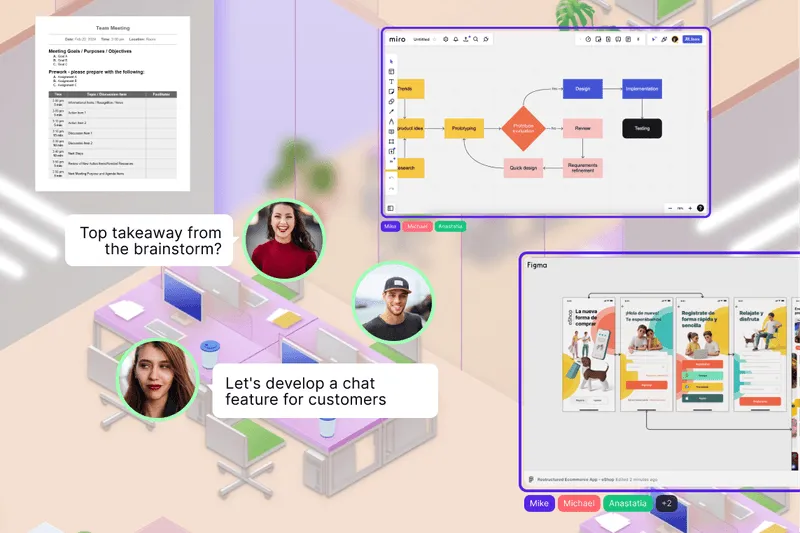
Virtual office software: A digital platform where remote or hybrid teams work, meet, and interact throughout the day, replacing the physical office as the place work happens. This is the category covered in the rest of this guide.
The two share a name because both replace something a physical office used to provide, an address in one case, a shared virtual office space in the other. They solve completely different problems and aren't interchangeable.
Instead of scheduling every interaction as a calendar event, virtual office software gives a team a persistent digital space they can drop into. Most virtual office platforms share a similar structure:
Here’s a practical guide on how to select the right virtual office platform in 2026.
The core idea is proximity replacing scheduling. Instead of booking a call to ask a quick question, you see someone's available and start talking, closer to tapping a colleague on the shoulder than sending a calendar invite.
A February 2026 SurveyMonkey study of 3,581 US workers found that nearly four in ten say their ideal work arrangement has shifted since the pandemic. That's a reminder that the tools teams use for daily presence matter as preferences keep changing.
A few features consistently separate a genuinely useful virtual office platform from a glorified video call:
Not every platform needs every feature. A 10-person startup and a 500-person enterprise are optimizing for different things entirely. SpatialChat's own analytics dashboard is a useful example of what usage tracking actually looks like day to day.
Pricing varies by platform philosophy as much as by scale:
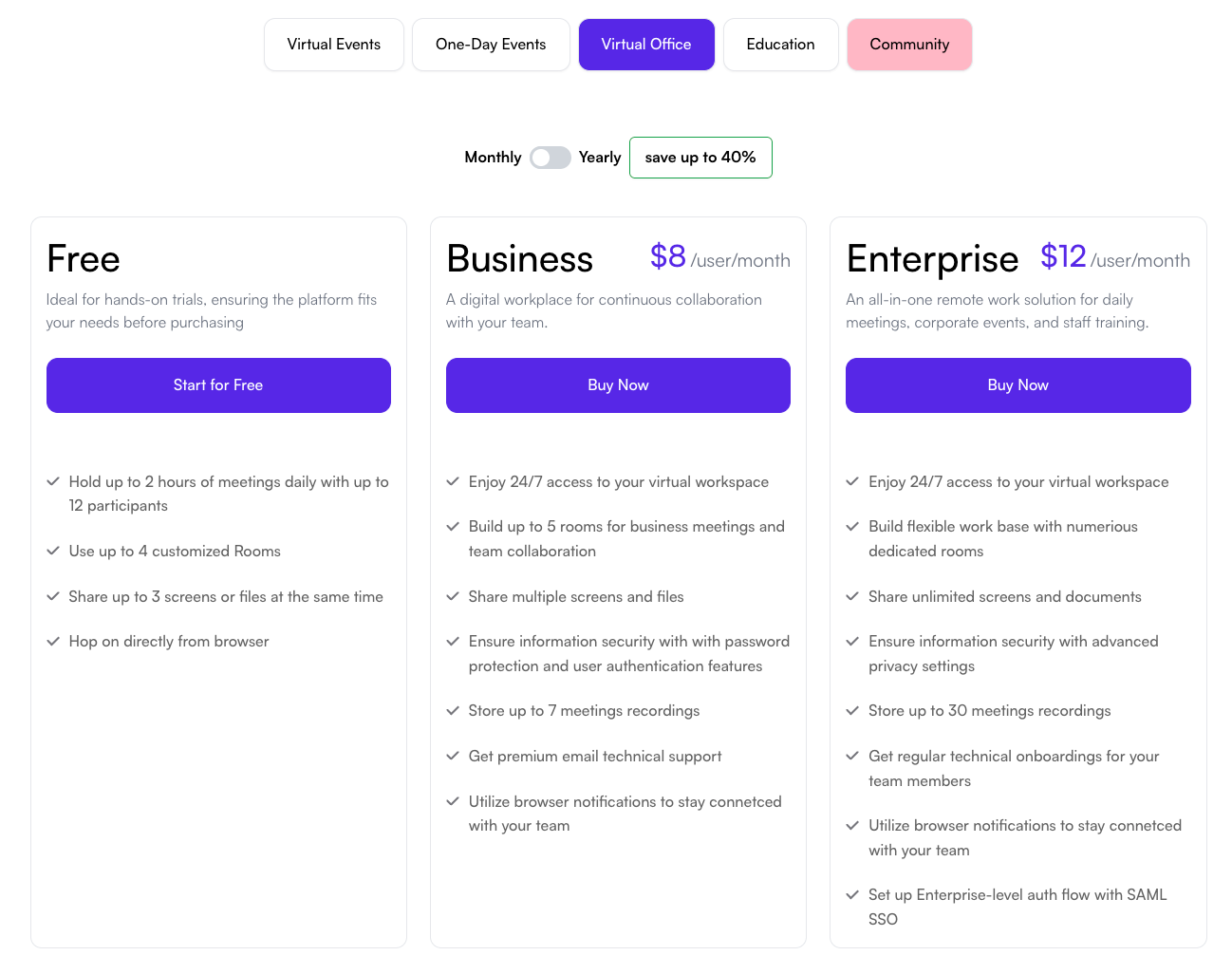
Free tiers exist across most of the category but usually cap out around 10-25 users, enough to trial the product, not run a full company indefinitely.
Annual billing typically saves 10-20% over monthly. See SpatialChat's own pricing for a real example of how a free tier and paid plans scale together.
A quick snapshot of platforms worth evaluating, each built around a different philosophy:
None of these is the universal best option. The right pick depends on whether your priority is AI-assisted coordination, social culture, enterprise control, or flexibility between daily work and events.
Match the platform to how your team actually works, not to whichever tool has the flashiest demo:
Trial it with a real subset of your team before rolling out company-wide. A tool that looks great in a sales demo can still fail if your team simply doesn't open it during a normal workday.
If your team splits time between home and a physical office, the shift to hybrid workspace covers that specific balance in more depth.
A few mistakes come up repeatedly when teams adopt virtual office software:
Most of these are cultural, not technical. The tool rarely fails on its own; unclear expectations around how to use it usually does. For one specific format worth getting right, see pro tips to hold productive virtual 1:1s.
SpatialChat is built around proximity instead of scheduling. Teams move freely between focus areas and collaboration zones, and spatial audio recreates how conversations start and stop in a real room: walk closer to join, step away to leave.
Where SpatialChat differs from most single-purpose tools is flexibility: the same space that hosts daily coworking can also host an all-hands or larger event.
See 8 creative meeting formats your remote team can try for how that plays out day to day, and selecting the right virtual office platform for the broader tradeoffs.
Try SpatialChat's virtual office software free to see how proximity-based presence feels in practice.
A virtual office isn't one thing, and confirming which meaning you're actually looking for is worth the first thirty seconds of research. For remote and hybrid teams, virtual office software solves a real problem: staying connected without turning every interaction into a scheduled call.
Hybrid work has stabilized, not disappeared, even with real return-to-office pressure in 2026.
Teams that invest in a space designed for spontaneous connection tend to need fewer scheduled meetings to accomplish the same thing.
Try SpatialChat free to see what that looks like for your team.
No, though they share a name. A business mailing address service provides a professional address and mail handling. Virtual office software is a digital workspace for remote teams to meet and collaborate, an entirely different product category.
Often yes, since Slack and Zoom solve different problems: async messaging and scheduled calls, not spontaneous, drop-in presence. Virtual office software fills the gap between the two, where a quick question doesn't need a calendar invite.
Most platforms work well from small teams of 5-10 up through several hundred, though the right choice shifts with size. Very small teams often do fine on a free tier, while large enterprises usually need admin controls and SSO on a paid plan.
Some can. Platforms with persistent, larger-capacity rooms handle both daily coworking and bigger gatherings in one space. Others are built strictly for small-group daily use and need a separate event tool for large meetings.
A virtual office is about presence and real-time interaction, seeing who's around and talking to them instantly. A project management tool tracks tasks and deadlines asynchronously. Most teams use both together, not one instead of the other.
Yes, and hybrid teams are often the better fit, since in-office and remote employees can join the same space rather than remote workers watching in-person meetings from outside. This is one of the fastest-growing use cases as hybrid work stabilizes.
Several platforms offer free tiers, typically capped around 10-25 users. They're usually enough to trial the product with a small team, but most companies outgrow the free tier once they roll out company-wide.
It varies, but teams that trial with a small group first and set clear usage norms tend to see real adoption within a few weeks. Company-wide rollouts without a trial phase often stall, since habits don't form without a clear "how we use this" expectation.
It's a real differentiator for some teams and irrelevant for others. Spatial audio recreates the feeling of overhearing nearby conversations and choosing whether to join, which matters most for teams that value spontaneous, organic interaction over structured meetings.
Many do, through embedded documents, calendar sync, or SSO, though integration depth varies significantly by platform. Confirm the specific integrations you need are live, not just planned, before committing.